


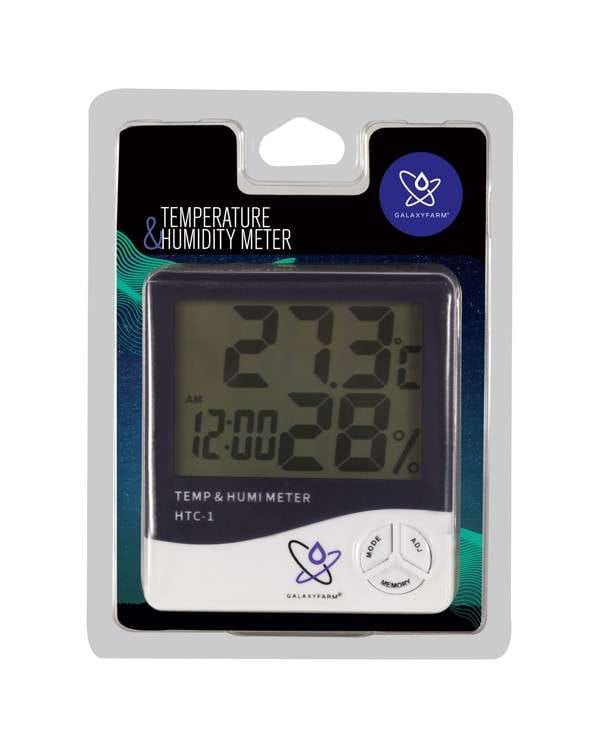
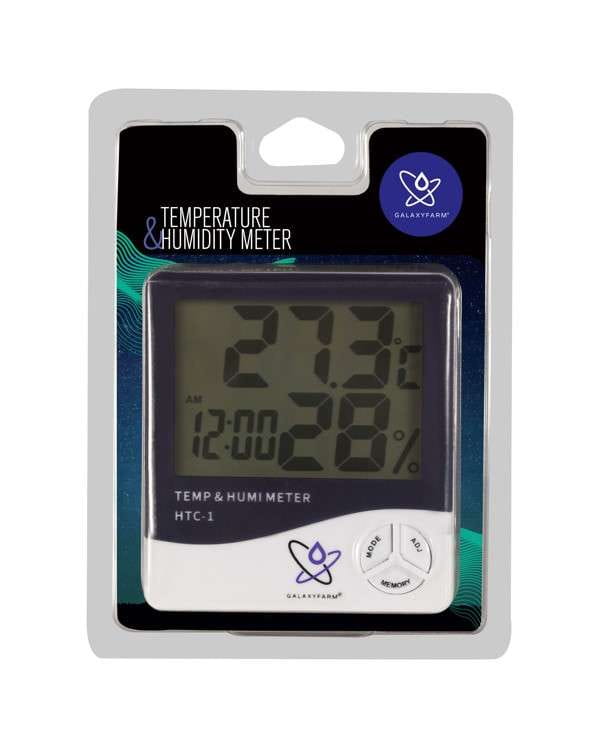
GALAXYFARM HTC-1 - Thermometer & Hygrometer / Humidity Meter | Weather Station
Weather station for measuring humidity, temperature and time EAN: 5904384600816
Product code: 154
Leave feedback on the product

GALAXYFARM HTC-1 - Thermometer & Hygrometer / Humidity Meter | Weather Station
large amount
Shipping
from
€2.36
-
DPD Pick-Up Point
(Poland)
from
€2.36
-
DPD Pick-Up Point
(Poland)
DPD Pick-Up Point
Shipping cost for the selected product
The shipping cost applies to this product (in the selected variant - if applicable). It may change after adding other products to the cart.
€4.48
Price
€4.48
without VAT
The lowest price during 30 days prior to the reduction:
€4.25
The promotion runs until %s
€4.48
Price
€4.48
without VAT
The lowest price during 30 days prior to the reduction:
€4.25
The promotion runs until %s


Gwarancja bezpiecznego zakupu


Opis produktu
Opis produktu
GALAXYFARM HTC-1 - thermometer & hygrometer | Weather station Basic functions: • Temperature ℃ / humidity % • MAX/MIN temperature and humidity memory function • 12/24 hour clock • Calendar Specifications Power supply - battery: classic 1 x AAA (not included)Temperature range: -50 ~ + 70 degrees CelsiusHumidity range: 10% -99%Temperature measurement accuracy +/- 1 degreeHumidity measurement accuracy +-5% RH(40%-80%)Max. & min memory measured in the 12/24-hour systemAlarm clock functionCalendar function (month/day)Possibility of placing on the wall (holder on the housing) User manual: 1 Insert the battery (1x AAA) 2. Setting the time: Press the MODE button until you hear the "BEEP" signal (after about 3 seconds) and the option to set the minutes appears; Then press the ADJ button to set the minutes and confirm with the MODE button; the hour setting function will flash. Repeat the above steps to set the hour. Press ADJ to select 12 or 24 hour clock, press MODE to confirm. Click MODE again to set the year, month (M), and day (D). 3. Alarm setting: Press the MODE button once (the semicolon between the hour and minute will stop flashing). To set a classic alarm that sounds at a specific time, click the "ADJ" button repeatedly until you see the "ALARM" icon, then press and hold the MODE button until you hear a "BEEP" and the minute setting option flashes - follow the steps in step 2 when setting the time. After you have finished setting the alarm, press the MODE button once to exit the setting function. If you want to set an hourly alarm, press ADJ until you see this icon: (?) If you select this option, the device will beep every hour on the hour. You can also select both options at the same time by selecting the last option with the "ALARM" icon. * When the alarm is on, the sound will last for one minute, press any button to stop the alarm; 4. Press the MEMORY button to display the MAX/MIN/current temperature/humidity. 5. Memory clear function: In the MAX or MIN state, press and hold the MEMORY button until you hear a "BEEP" sound to clear the MAX/MIN data. 6. °C/°F switching: To change the unit, simply press the black button located on the back of the device (under the support leg).
Opinie
Opinie
Number of ratings: 0
If you've added a review and it doesn't appear on the list, it may be pending moderation.
Leave feedback on the product
 Log in with Google
